
Its been a few years since I wrote a useful post. Here is something I wanna and feel a need to share.
Me and my brother share the same computer, and we always have different preference for resolution and desktop background. This guide, I will tell you how I went about the problem. I'm gonna put one more on changing the theme after I've done googling. I'm on XP btw.
Every time I want to use the computer, I had to go through the tedious process of opening the display settings and so on. This amounts to many steps. 7 in total.
1.right click on desktop
2.click on properties
3.click on desktop tab
4.select desired bg
5.click on settings tab
6.slide to desired resolution
7.Ok
And I had to do this every time. So I created a simple batch file. With the batch file, I was able to reduce the 7 steps to 1 step.
It uses 2 third party software which are:
nircmd.exe
-by Nirsoft
SetWallpaper.exe
-by Marty List
They can be downloaded here:
http://www.optimumx.com/downloads.html#SetWallpaper
http://www.nirsoft.net/utils/nircmd.html
After downloading and packaging them, here is a sample batch file I made.
@echo off
cd /d C:\Downloads\
nircmd.exe setdisplay 1024 768 32 -updatereg
SetWallpaper.exe /D:S C:\WINDOWS\Web\Wallpaper\Bliss.bmp
Change "C:\Downloads\" to where you unpacked nircmd.exe and SetWallpaper.exe
Change the setdisplay parameter to weight height bitcolor
Change the path of the image (has to be .bmp format)
Save it to the desktop with .bat extension and you are done.
For more options, check out the Readme:
nircmd.exe setdisplay
http://www.nirsoft.net/utils/nircmd2.html#setdisplay
setdisplay {monitor:index/name} [width] [height] [color bits] {refresh rate} {-updatereg} {-allusers}
SetWallpaper.exe
Included in the download
/r to remove wallpaper
/D:C|T|S to make it centered, tiled or stretched
actually, this post may not be that useful
Showing posts with label bat. Show all posts
Showing posts with label bat. Show all posts
Monday, November 5, 2012
Change screen resolution and desktop background with command prompt

Thursday, October 6, 2011
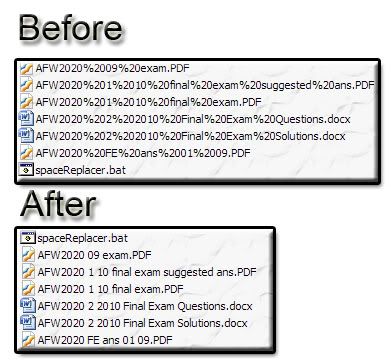
New script for delete %20 in batch
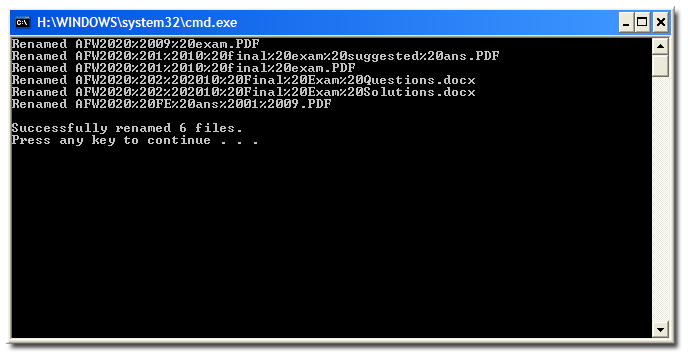
Now have added a few aesthetics by reporting the number of files renamed.
Warning: Use at own risk
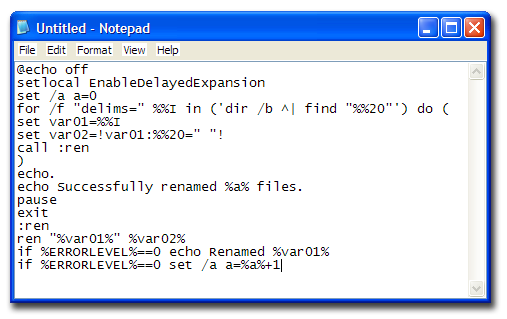
The script:
@echo off
setlocal EnableDelayedExpansion
set /a a=0
for /f "delims=" %%I in ('dir /b ^| find "%%20"') do (
set var01=%%I
set var02=!var01:%%20=" "!
call :ren
)
echo.
echo Successfully renamed %a% files.
pause
exit
:ren
ren "%var01%" %var02%
if %ERRORLEVEL%==0 echo Renamed %var01%
if %ERRORLEVEL%==0 set /a a=%a%+1
Instructions:
1. Copy the script above and paste into notepad
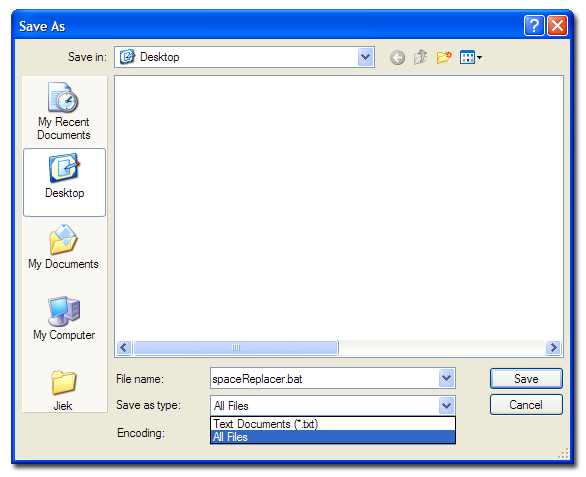
2. Save it as "spaceReplacer.bat", file type: All Type.
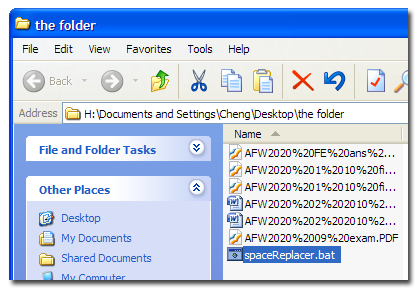
3. Put it in the same folder as the files with %20
4. and run
5. Success!
Subscribe to:
Posts (Atom)


